Database Setup
Two verified paths: a local MongoDB server for development, or MongoDB Atlas for a free managed cloud database. Either one fills the single required variable MONGO_URI.
Option A — Local MongoDB#
- 1
Download MongoDB Community Server
Download the installer for your OS from the official MongoDB Downloads page. On Windows pick the MSI installer; on macOS use Homebrew. Any recent 7.x/8.x release works with the kit's Mongoose 8 driver.
- 2
Install and start the service
On Windows, the MSI installs MongoDB as a Windows Service named “MongoDB” that starts automatically on boot. On macOS load it via brew services. Confirm it is actually running:
Confirm the database service is running # Windows (PowerShell) Get-Service MongoDB # macOS brew services list | grep mongodb # Either way — test against the default port: curl http://localhost:27017 # connection accepted = port is open (a plain-HTTP response is expected and fine)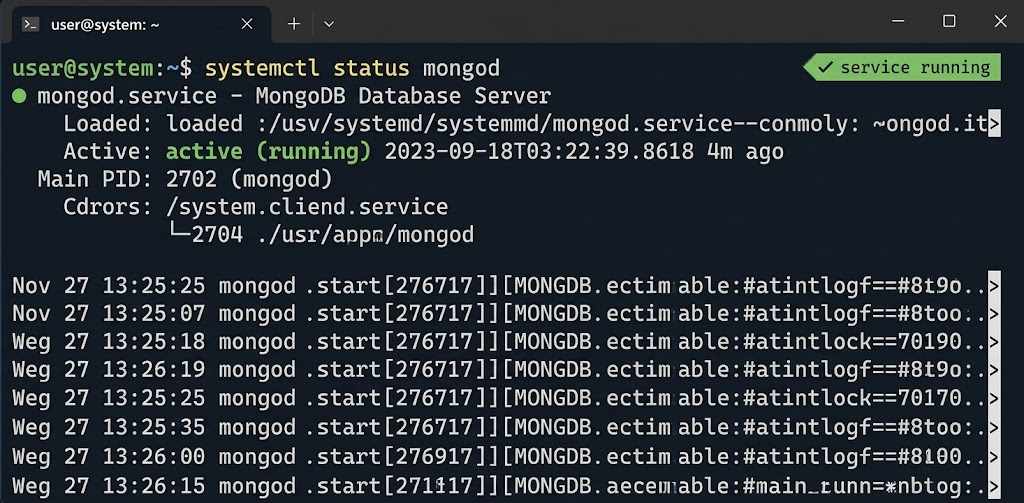
Capture of a terminal proving the MongoDB service is running. - 3
Choose your database name
Nothing to create by hand — MongoDB creates the database automatically when the backend first writes to it. The kit's examples use “saas-starter-kit”; keeping that name or picking your own consistent one both work.
- 4
Configure the connection URI
Point backend/.env at the local server and put the same database name at the end of the URI:
backend/.env MONGO_URI=mongodb://localhost:27017/saas-starter-kit - 5
Verify the connection from the backend
Restart the backend. Success shows log lines “MongoDB connected: host:port/name”. “Connection refused / ETIMEDOUT” means the service is not running — was the service install completed, did you start it, is the URI typed correctly?
backend pnpm dev # → INFO: MongoDB connected: localhost:27017/saas-starter-kit # → INFO: Server running in development mode on port 5000
Option B — MongoDB Atlas (Free Cloud)#
- 1
Create a free Atlas account
Sign up at atlas.mongodb.com (or cloud.mongodb.com) with your email. The free M0 tier is enough for development and small deployments.
- 2
Create a project and a cluster
New Project → then Build a Database → pick the M0 FREE tier and a region near your users. A cluster is the shared database deployment; the database itself is created inside it when the backend first connects.
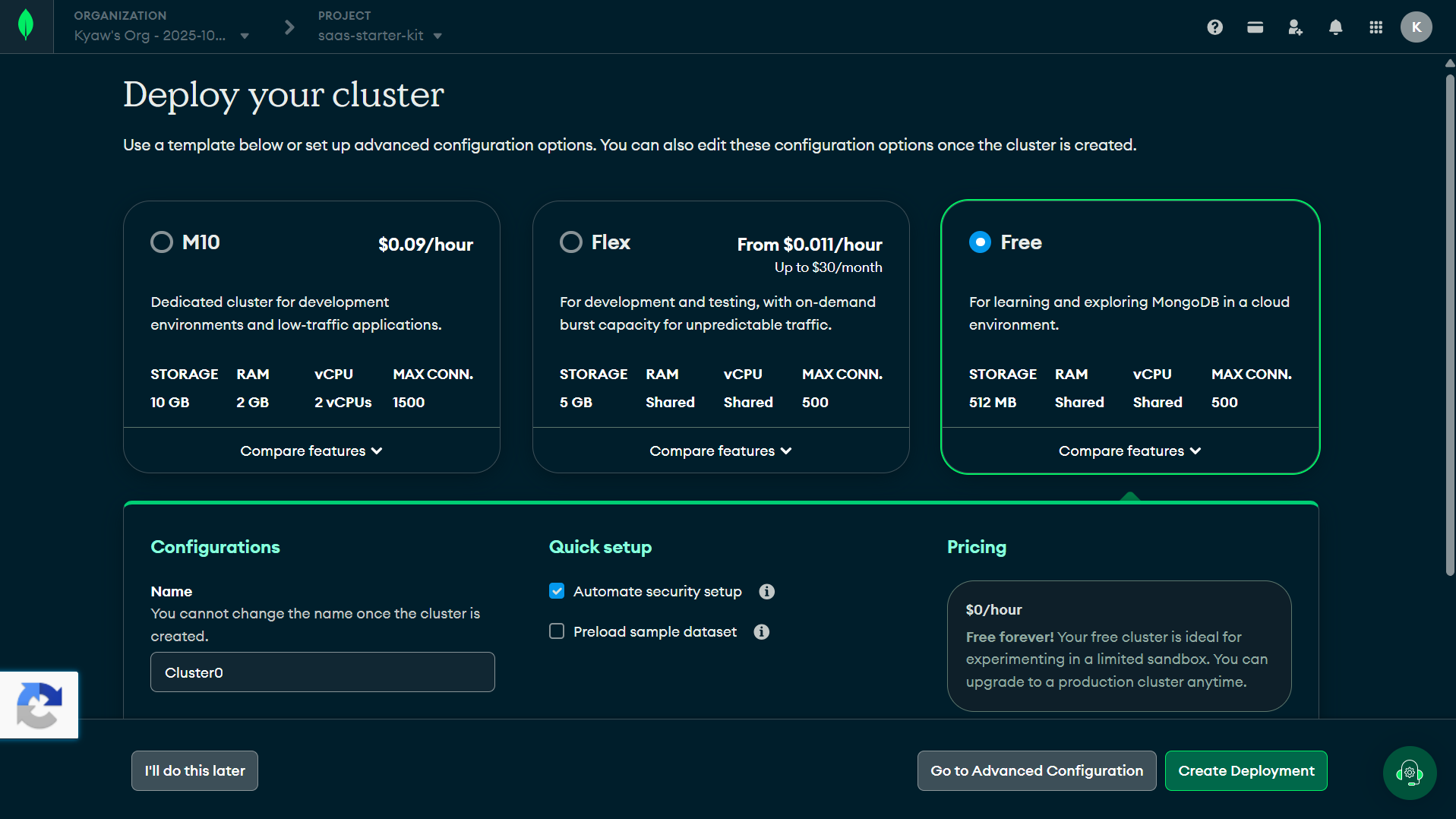
Capture of the Atlas “Build a Database” screen with M0 selected. - 3
Create a database user
Security → Database Access → Add New Database User → Password authentication. Save the username and password immediately — Atlas shows the password only at creation. It belongs only in backend/.env, never in screenshots or documents.
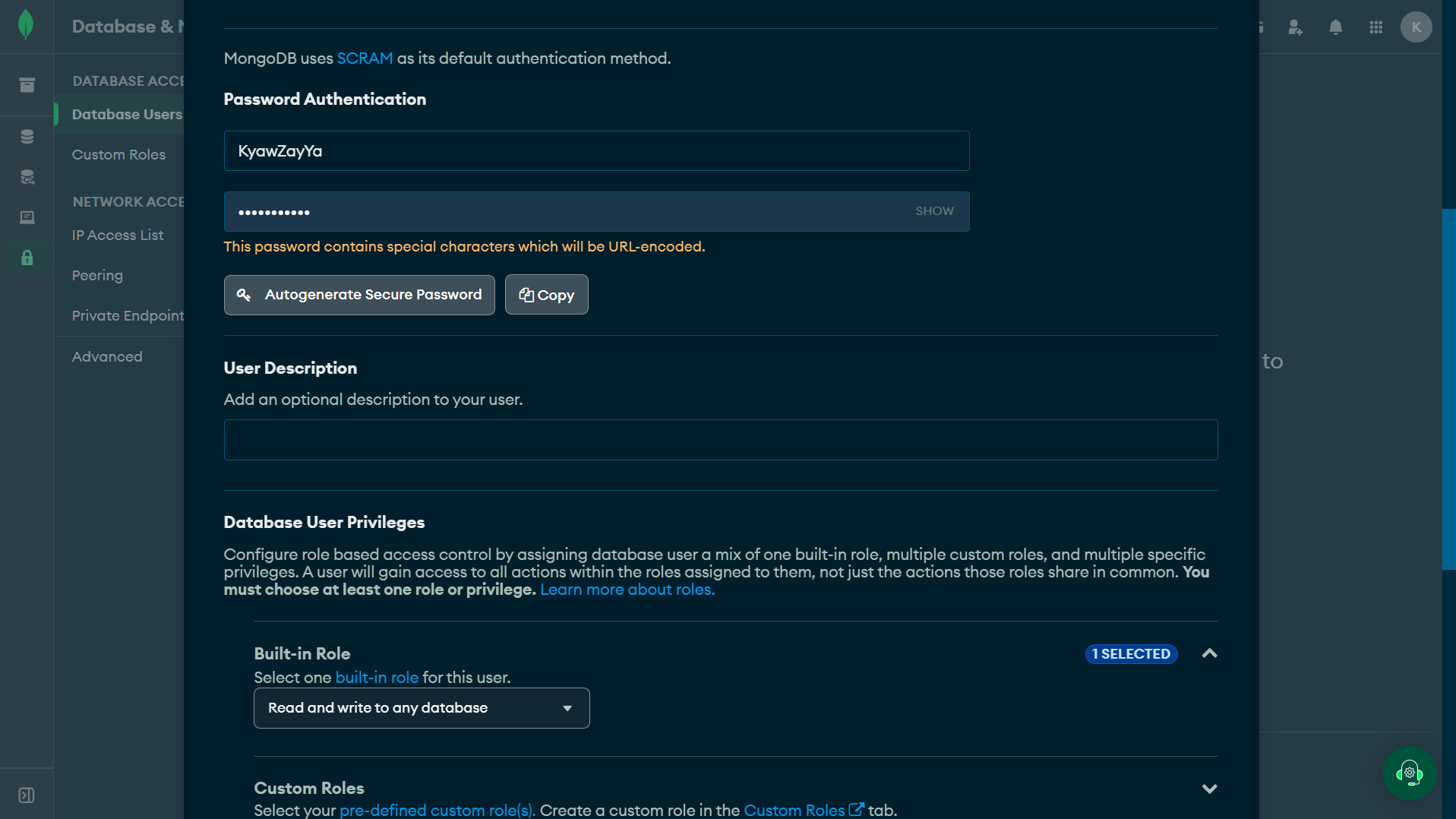
Capture of the Atlas “Add New Database User” dialog with values blurred. - 4
Configure network access safely
Security → Network Access → Add IP Address. For a dev machine add Atlas's suggested “your current IP”. Allowing 0.0.0.0/0 (anywhere) is acceptable only for short experiments — never for a database holding real customer data.
- 5
Get the connection string
Clusters → Connect → Drivers → pick “Node.js”; Atlas prints the mongodb+srv:// string to copy.
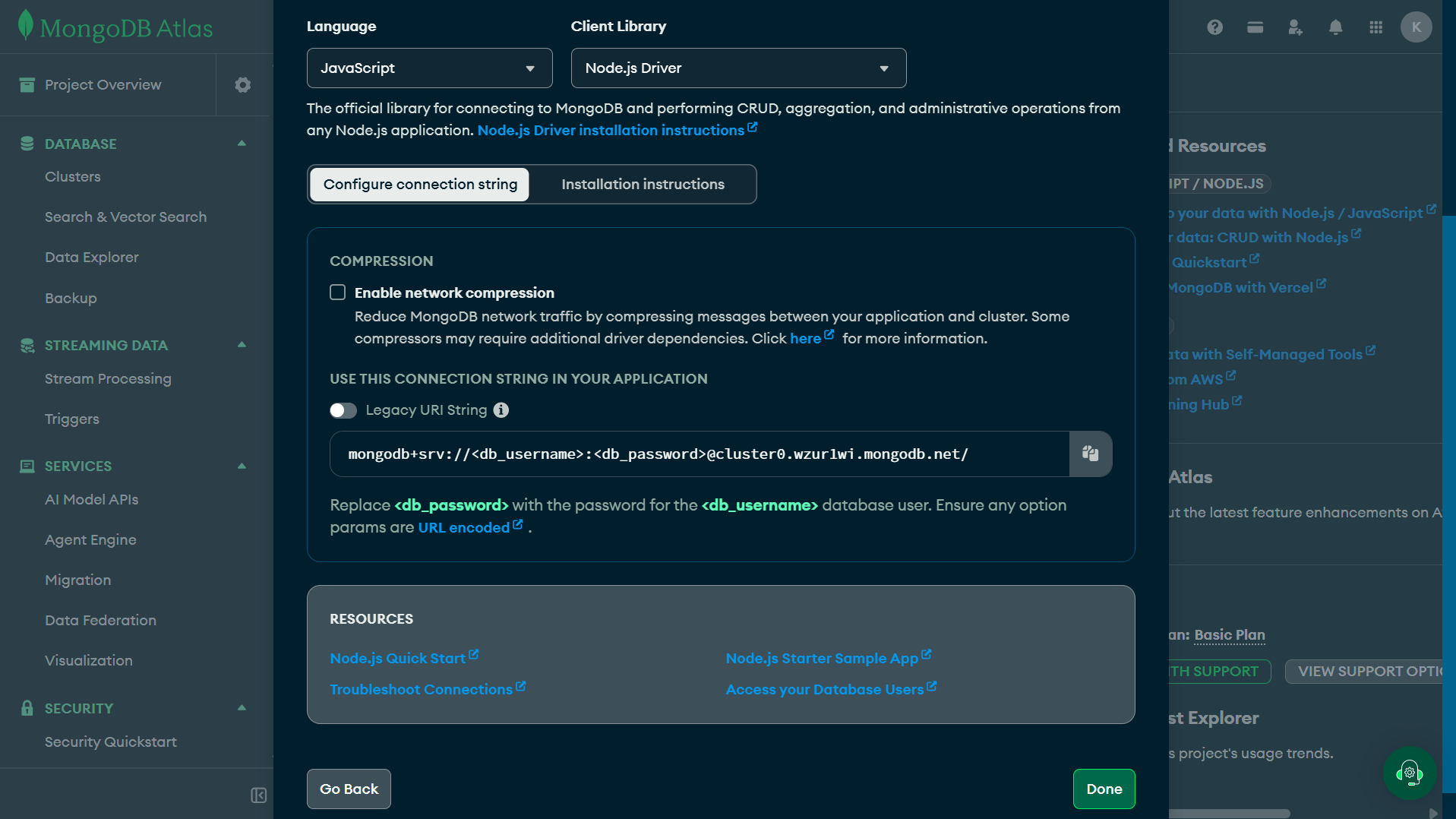
Capture of the Atlas “Connect → Drivers” pane showing the mongodb+srv string (password placeholder visible). - 6
Replace user, password and database name
Edit the copied string: insert your database user where it says <user>, the password between the : and @, and put your chosen database name after the .net host and before the ?. Special characters inside the password need URL-encoding.
- 7
Add it to backend/.env
Place your assembled URI exactly where MONGO_URI lives. The file is git-ignored — keep it that way.
backend/.env MONGO_URI=mongodb+srv://<atlas-user>:<atlas-password>@<cluster-host>/saas-starter-kit?retryWrites=true&w=majority - 8
Restart and test
Same verify as path A: pnpm dev, then look for “MongoDB connected: …” — this time the host will be your Atlas cluster address instead of localhost.
Connection Problems#
| Symptom | Possible cause / fix |
|---|---|
| MongooseServerSelectionError · connection refused (local) | Service not running → Get-Service MongoDB / brew services list; start the service then retry |
| MongooseServerSelectionError · ETIMEDOUT (Atlas) | Network Access allows no IP → confirm your current IP is added in Atlas |
| Authentication failed (Atlas) | Wrong user/password → recreate the Database User; URL-encode special characters (%40 for @) |
| Server starts but no data persists | Wrong database name or a typo in MONGO_URI — check the name logged in the “MongoDB connected: …” line |
The most reliable indicator is the backend startup log — it prints the exact host:port/name it connected to, so compare it with your intended URI.
Completion Checklist#
Tick each row after you verified it — progress is remembered in your browser (localStorage, item ids only, no personal data).